Latest build · Android only

Download the 777cX app APK

The complete, honest install guide for the 777cX latest APK in Pakistan — every setting path, every prompt you will see, and what to do when something does not go to plan. Roughly three minutes from tapping download to your first spin.

Free · ~48 MB · Android 6.0+ · No PC, emulator or root required

Official link Under 3 minutes 24/7 help
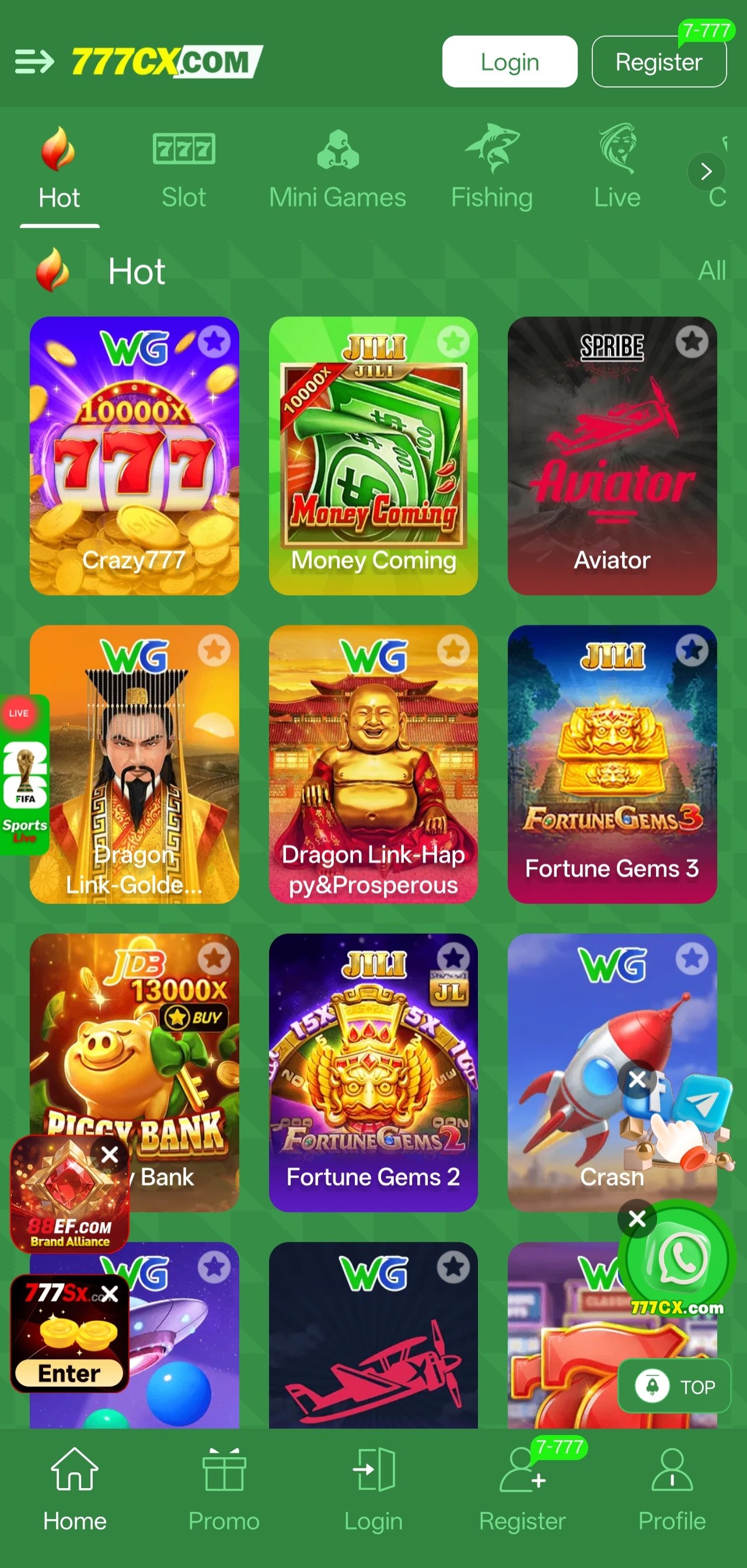
777cX app running on an Android phone after installing the APK
Step by step

Installing the 777cX new APK on Android

The 777cX app is distributed directly rather than through the Play Store, which is standard for this category of application in the region. That means one extra permission step — everything else is a normal install.

  1. Free up storage and check your Android version

    Before you start, make sure you have at least 150 MB of free space. The installer is around 48 MB but the app expands to roughly 120 MB once unpacked, and a tight device is the single most common cause of a failed install. Check your Android version under Settings → About phone — anything from 6.0 (Marshmallow) upward will run the app.

    On a device with 2 GB of RAM or less, close background apps before your first launch. The initial start-up caches game assets and is noticeably heavier than everyday use.
  2. Tap the official download button

    Use any Download 777cX APK button on this page. It points at the operator's official distribution link, which always serves the current build — you never need to hunt for a version number. Your browser will show a confirmation prompt because the file is an application package; accept it to begin the download.

  3. Allow your browser to install apps

    Android blocks installs from outside the Play Store until you grant permission to the specific app doing the installing — normally your browser. When the "blocked by Play Protect" or "unknown apps" notice appears, tap Settings in the prompt and enable the toggle. You only need to do this once per browser.

    If the prompt does not appear, the setting lives here:

    • Stock Android / Pixel: Settings → Apps → Special app access → Install unknown apps
    • Samsung: Settings → Apps → ⋮ → Special access → Install unknown apps
    • Xiaomi / Redmi: Settings → Privacy protection → Special permissions → Install unknown apps
    • Android 7 and older: Settings → Security → Unknown sources
    Grant this permission to your browser only, and switch it back off afterwards if you prefer. Never enable it for an app you did not install yourself.
  4. Open the downloaded file and install

    Tap the completed download in your notification shade, or find it in Files → Downloads. Android will show the package name and the permissions the app requests. Review them, then tap Install. Unpacking takes a few seconds on most handsets and up to half a minute on older ones — do not close the screen while it runs.

  5. Launch the app and create your account

    The 777cX icon appears on your home screen as soon as the install finishes. Open it and register with a phone number — you will receive a verification code by SMS. Choose a strong, unique password rather than reusing one from another service, and never share the verification code with anyone, including people claiming to be support staff.

  6. Claim the ₹10,000 welcome package

    Accounts registered through the official app link are automatically eligible for the welcome package worth up to ₹10,000. There is no code to enter. Open the promotions section to see exactly what is available to you, the qualifying activity for each part and when it expires — read those terms before opting in.

  7. Set your limits, then start playing

    Before your first session, decide what you are willing to spend and treat it as fixed. Add a withdrawal method from the profile screen while you are there, so it is ready when you need it rather than something to sort out later. Then open the lobby — all 76 slot titles are available from the same screen.

Before you tap install

System requirements and compatibility

The 777cX app is deliberately undemanding, but it is worth a thirty-second check that your handset clears the bar — particularly if it is a few years old or running low on space.

777cX app system requirements
RequirementMinimumRecommended
Android version6.0 Marshmallow10 or newer
Free storage150 MB500 MB
RAM1.5 GB3 GB or more
Screen720 × 12801080 × 2340
Connection3G4G or Wi-Fi
Root accessNot requiredNot required
Google accountNot requiredNot required

What the app asks permission for

Android will list the permissions during install. Here is what each one is actually used for, so you can make an informed decision rather than tapping through blindly.

  • Storage: caching game assets so titles load quickly on subsequent opens
  • Network access: connecting to the game servers — mandatory for play
  • Notifications: bonus reminders and build update alerts; can be disabled
  • Camera (optional): only if you choose to scan a QR code or upload a document
  • Vibration: haptic feedback on reel stops; can be turned off in settings

The app does not need contacts, call logs, SMS content or location access. If a build asks for those, it did not come from the official link — delete it and report it in the support channel.

When something goes wrong

Troubleshooting the 777cX APK install

Almost every failed install traces back to one of five causes. Work through these in order before asking for help — most people are running within a couple of minutes.

1. "App not installed"

Usually storage or a leftover build. Clear space to at least 150 MB free, then uninstall any older 777cX version before retrying. If the downloaded file is partial, delete it from Downloads and start the download again rather than reopening the same file.

2. "Blocked by Play Protect"

Google's scanner flags most sideloaded packages by default. Tap More details then Install anyway. This prompt is about distribution channel, not about the contents of the file — it appears for legitimate sideloaded apps of every kind.

3. The download never finishes

Switch from mobile data to Wi-Fi, clear the browser download queue and start again from the button on this page. If one browser repeatedly stalls, try another — Chrome, Samsung Internet and Mi Browser handle large direct downloads differently.

4. The app installs but will not open

Force stop it, clear its cache from Settings → Apps → 777cX → Storage, and reopen. If it still closes immediately, reinstall over the top with a fresh download. Devices below the minimum RAM occasionally need a restart before the first successful launch.

5. Games load slowly or stutter

Enable data-saver mode in the app settings to reduce animation quality, close background apps, and prefer Wi-Fi where you can. Clearing the asset cache occasionally also helps on devices that are near capacity.

6. Verification SMS does not arrive

Wait the full sixty seconds before requesting a resend, check your spam or blocked-message folder, and confirm the number was entered with the correct country code. If nothing arrives after two attempts, contact support with your number and approximate request time.

Still stuck after all that?

Send a screenshot of the exact error, your phone model and your Android version to the support channel. That is almost always enough for a first-reply fix. Median response time is around three minutes, in English or Urdu, at any hour.
Staying current

Updating to the 777cX latest app build

The 777cX platform ships new builds regularly — sometimes to add slot titles, sometimes for performance work or a fix. Because the app is not distributed through a store, it does not update itself silently in the background; you approve each update.

When a newer build exists, the app shows an update notice on launch with a direct link. You can also update manually at any time by downloading the current APK from this page and installing it over the top of your existing app. There is no need to uninstall first, and nothing is lost — your account, balance and history are held server-side.

If you would rather know before the app tells you, the news and promotions channel posts each release with a short note on what changed. That channel is also where seasonal events and new slot additions are announced first.

  • Install over the top

    No uninstall needed. The new package replaces the old one and keeps your settings.

  • Nothing stored locally

    Balance and history live on the operator's servers, so updates carry no data risk.

  • Announced first on Telegram

    Build notes appear in the news channel, usually before the in-app prompt reaches everyone.

Safe download checklist

Sideloading is perfectly routine, but it does place the responsibility for source verification on you. Five habits that keep it safe:

  • Download only from this site or the two official Telegram channels
  • Ignore APKs forwarded by strangers, however convincing the message
  • Check the requested permissions during install — no SMS, contacts or location
  • Never enter your password or verification code anywhere except the app itself
  • Keep Play Protect enabled; approve the individual prompt rather than disabling it

More on how we handle your information is in our privacy policy, and the rules of use are set out in the terms of service.

Install questions

777cX APK download FAQ

Everything people ask before, during and immediately after installing the 777cX game app.

Is the 777cX APK safe to install?

The file linked from this site is the official build served by the operator's distribution link. Android will still display a warning when installing any package from outside the Play Store — that prompt appears for every sideloaded app and is not a detection of a problem with the file itself.

The important rule is source discipline: only install the 777cX APK from the link published here or in the two official Telegram channels. Files forwarded by strangers, posted in unrelated groups or hosted on mirror sites should be deleted without opening.

The download stops part-way. What should I do?

Interrupted downloads are almost always a connection issue rather than a problem with the file. Switch to Wi-Fi if you are on mobile data, clear your browser's download queue, and start again from the button on this page rather than retrying a stale link.

If it still fails, try a different browser — Chrome and the built-in Samsung or Mi browsers occasionally handle large direct downloads differently. Persistent failures are worth reporting in the support channel with your device model and network.

Android says "App not installed". How do I fix it?

This message has three common causes. First, insufficient free storage — the package needs roughly 120 MB once unpacked, so clear space and retry. Second, a partially downloaded file: delete it from your Downloads folder and download again from scratch.

Third, and most often, an older 777cX build is still present with a different signature. Uninstall the existing app first, then install the new APK. Your account lives server-side, so nothing is lost by uninstalling.

Where is the "Install unknown apps" setting on my phone?

The path differs slightly by manufacturer, but it is always tied to the app doing the installing — usually your browser.

  • Stock Android / Pixel: Settings → Apps → Special app access → Install unknown apps → select your browser → allow.
  • Samsung: Settings → Apps → (three dots) Special access → Install unknown apps.
  • Xiaomi / Redmi: Settings → Privacy protection → Special permissions → Install unknown apps.
  • Older Android (7 and below): Settings → Security → Unknown sources (a single global toggle).

You can switch the permission back off after installing — the app will continue to work.

Does the 777cX app work on iPhone or on a PC?

The current build is Android-only. There is no iOS package, and installing an Android APK on an iPhone is not possible. On a computer you would need an Android emulator, which is not officially supported and can behave unpredictably — we do not recommend it.

If an iOS version is released it will be announced in the news channel first.

How much storage and data does the app use?

The installer is around 48 MB and the app occupies roughly 120 MB once installed, plus a cache that grows modestly as you open more games. You can clear that cache from Android's app settings at any time without losing your account.

Data usage during play is low because slot outcomes are computed server-side and only the result is transmitted. An hour of play typically uses far less data than streaming video. There is also a data-saver toggle in the app settings.

Will I lose my account or balance when I update?

No. Your account, balance and history are stored on the operator's servers, not on your phone. Installing a newer 777cX APK over the top of an older one keeps everything intact. Even a full uninstall and reinstall simply requires you to sign in again.

Do I need to root my phone or use a VPN?

No to both. The app installs and runs on a completely standard, unrooted Android device. Rooting is never required, and we would advise against installing any build that claims to need it. A VPN is not needed for the app to function.

Ready when you are

Get the 777cX app in about three minutes

Free download, one permission toggle, and a ₹10,000 welcome package waiting on the other side. Support is a message away if any step gives you trouble.

Free download Android 6.0+ 18+ only

Download summary

File typeAndroid APK
Size~48 MB
RequiresAndroid 6.0+
Install time2–3 minutes
CostFree
Age rating18+
Telegram support Download 777cX App